


ThinkDiag 2 compatibility guide – understanding serial numbers and DiagZone support
Introduction
The ThinkDiag 2 has become one of the most popular Bluetooth diagnostic interfaces among automotive technicians and enthusiasts thanks to its compact design, broad vehicle coverage, and professional diagnostic capabilities.
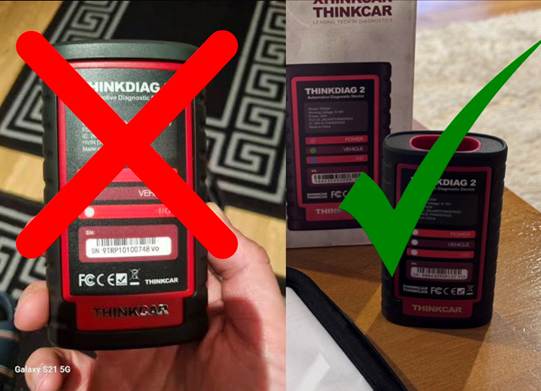
However, one of the most common issues users encounter is purchasing a ThinkDiag 2 device that is not compatible with DiagZone software.
Many buyers assume that all ThinkDiag 2 devices are identical, but this is not the case. Compatibility depends on the device version and, most importantly, the serial number format.
In this guide, we explain exactly which ThinkDiag 2 devices work with DiagZone and which ones do not.
Not All ThinkDiag 2 Devices Are Compatible with DiagZone
Although different ThinkDiag 2 devices may look identical on the outside, there are multiple hardware and firmware variations available on the market.
As a result, not every ThinkDiag 2 scanner can be activated or used with DiagZone software.
This is one of the most important things to verify before purchasing a device.
Which ThinkDiag 2 Devices Are Compatible?
The rule is simple:
Compatible Devices
✅ Only ThinkDiag 2 devices with a serial number consisting entirely of numbers are compatible with DiagZone.
Examples:
- 988435678901
- 987654321098
If the serial number contains only digits and no letters, the device is generally compatible with DiagZone activation.
Which ThinkDiag 2 Devices Are NOT Compatible?
Incompatible Devices
❌ Any ThinkDiag 2 device that contains letters in the serial number is not compatible with DiagZone.
This includes devices with serial numbers starting with:
- 9TRP123456AB
- 9TRPXXXXXXXX
- 9TRP123ABC456
If the serial number contains letters anywhere within the sequence, the device should be considered incompatible with DiagZone software.
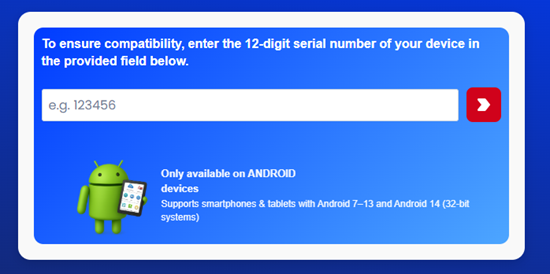
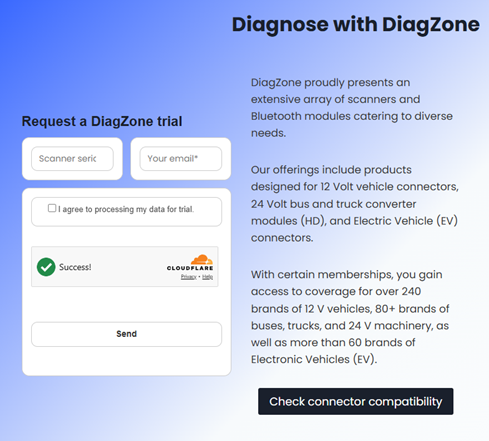
You can check the compatibility of your device on the home page of our Official diagzone website.
Why Does the Serial Number Matter?
Many users are surprised to learn that serial numbers play such an important role.
The reason is that different ThinkDiag 2 production batches use different authentication systems, firmware configurations, and activation methods.
DiagZone only supports specific hardware versions, which can be identified through the serial number format.
Because of this:
- Two devices may look identical externally.
- Both may be labeled “ThinkDiag 2.”
- Both may connect via Bluetooth.
Yet only one may be compatible with DiagZone.
Common Mistakes When Buying a ThinkDiag 2
One of the biggest mistakes users make is purchasing a device solely based on the product name.
Many online marketplaces, auction sites, and third-party sellers offer ThinkDiag 2 devices without mentioning serial number compatibility.
As a result, users may receive:
- A genuine ThinkDiag 2
- A fully functional scanner
- A device that works with other applications
But not a device that can be activated with DiagZone.
How to Check Compatibility Before Purchasing
Before ordering a ThinkDiag 2 device, always ask the seller for the serial number or a clear photo of the device label.
Compatible
✅ Serial number contains numbers only.
Example:
- 989456789012
Not Compatible
❌ Serial number contains letters.
Examples:
- 9TRP123456AB
- 9TRP987XYZ123
- Any alphanumeric serial number
Taking a few moments to verify the serial number can save significant time and expense later.
What Happens If You Purchase Wrong Device?
Users who purchase a ThinkDiag 2 with incompatible serial number may encounter:
- Activation failures
- Device registration issues
- Inability to use DiagZone licenses
- Connection and authentication errors within the platform
Because these devices are not supported by DiagZone, software activation cannot be completed successfully.
For this reason, purchasing a compatible device from the start is strongly recommended.
Recommended for DiagZone Users
If your goal is to use DiagZone, always verify that:
- The serial number contains only numbers.
- The serial number does not contain any letters.
- Compatibility has been confirmed before purchase.
Following these steps helps ensure a smooth activation process and full access to DiagZone features.
Conclusion
When purchasing a ThinkDiag 2 for use with DiagZone, the serial number is one of the most important factors to check.
Only ThinkDiag 2 devices with a serial number made entirely of numbers are compatible with DiagZone software.
Devices with letters in the serial number, are not compatible with DiagZone and cannot be activated on the platform.
Always verify the serial number before purchasing to avoid compatibility issues and ensure a successful DiagZone setup.