
التوافق مع Android 14 – دعم برنامج DiagZone عبر إصدارات Android المختلفة
مقدمة
أحد أكثر الأسئلة شيوعًا التي نتلقاها من المستخدمين هو:
"ما إصدارات نظام Android التي يدعمها برنامج التشخيص الخاص بكم؟"
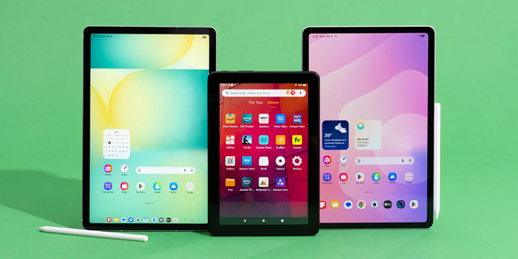
مع استمرار تطور أجهزة Android، أصبحت التوافقية عاملًا مهمًا عند اختيار هاتف ذكي أو جهاز لوحي لتشخيص المركبات. في هذا الدليل، نشرح بالتحديد إصدارات Android المدعومة، وما يجب على المستخدمين معرفته حول Android 14، وما هو اتجاه التطوير المستقبلي لدينا.
إصدارات Android المدعومة
برنامج التشخيص الخاص بنا متوافق حاليًا مع:
- Android 7.0 (Nougat)
- Android 8.0 / 8.1 (Oreo)
- Android 9 (Pie)
- Android 10
- Android 11
- Android 12
- Android 13
تم اختبار هذه الإصدارات على نطاق واسع وتوفر دعمًا كاملًا لجميع وظائف التشخيص الأساسية، بما في ذلك:
- تشخيص كامل للنظام
- بث البيانات المباشرة
- الاختبارات النشطة (التحكم ثنائي الاتجاه)
- ترميز وحدة التحكم الإلكترونية (ECU) وعمليات التهيئة
- وظائف إعادة ضبط الخدمة
- الاتصال بالوحدات عبر أجهزة VCI تعمل بتقنية Bluetooth
بالنسبة لمعظم المستخدمين، توفر إصدارات Android 10 إلى Android 13 حاليًا الأداء الأكثر استقرارًا وتحسينًا.
التوافق مع Android 14
يدعم برنامجنا أيضًا Android 14، ولكن مع شرط مهم:
يجب أن تدعم أجهزة Android 14 تطبيقات 32 بت.
تم تصميم الإصدار الحالي من برنامجنا للعمل على الأنظمة التي لا تزال تسمح بـ تشغيل تطبيقات 32 بت.
هذا يعني أن توافق Android 14 لا يتم تحديده فقط من خلال إصدار نظام التشغيل، بل أيضًا من خلال تكوين الأجهزة والبرامج الخاص بالجهاز نفسه.
تدعم بعض أجهزة Android 14 تطبيقات 32 بت و64 بت معًا، بينما انتقلت أجهزة أخرى بالكامل إلى بيئات 64 بت فقط، مما قد يمنع التطبيق من العمل بشكل صحيح.
لماذا يختلف التوافق في Android 14
يتجه نظام Android البيئي تدريجيًا نحو بنية 64 بت بالكامل. ونتيجة لذلك، لم تعد بعض الأجهزة الأحدث تتضمن دعم تطبيقات 32 بت على الإطلاق.
وهذا يؤدي إلى حالة حيث:
- لا يضمن Android 14 التوافق
- بنية الجهاز هي العامل الحاسم
- قد تعمل بعض الطرازات على تشغيل البرنامج دون مشاكل، بينما قد لا تدعم طرازات أخرى التثبيت أو التشغيل.
التطوير المستمر والتوافق المستقبلي
نحن نعمل باستمرار على تحسين وتوسيع توافق الأجهزة.
تحديث مهم:
نحن نعمل بنشاط على تطوير تحسينات لضمان أن يصبح برنامجنا متوافقًا مع جميع إصدارات Android، بما في ذلك البيئات الأحدث التي تعمل بتقنية 64 بت فقط.
يمثل هذا أحد أهم محاور التطوير لفريقنا، ونحن نعمل بجد لإتاحته في أقرب وقت ممكن.
👉 هدفنا هو تحقيق توافق كامل مع جميع إصدارات Android.
👉 نحن متفائلون بأن هذا التحديث سيتم إصداره خلال هذا العام، وذلك اعتمادًا على الاختبارات النهائية والتحسينات.
إصدارات Android الموصى بها (حاليًا)
للحصول على أفضل وأكثر تجربة استخدام استقرارًا، نوصي حاليًا بما يلي:
- Android 13
- Android 12
- Android 11
- Android 10
توفر هذه الإصدارات أفضل مزيج من:
- الاستقرار
- توافق Bluetooth
- أداء التطبيق
- توفر الجهاز
نظرة عامة على توافق Android
| إصدار Android | التوافق |
| Android 7 | ✅ مدعوم بالكامل |
| Android 8 | ✅ مدعوم بالكامل |
| Android 9 | ✅ مدعوم بالكامل |
| Android 10 | ✅ مدعوم بالكامل |
| Android 11 | ✅ مدعوم بالكامل |
| Android 12 | ✅ مدعوم بالكامل |
| Android 13 | ✅ مدعوم بالكامل |
| Android 14 (دعم 32 بت) | ⚠️ مدعوم جزئيًا |
| Android 14 (64 بت فقط) | ❌ غير مدعوم (الإصدار الحالي) |
الخلاصة
برنامج التشخيص الخاص بنا مستقر بالكامل ومُحسّن على أنظمة Android 7 إلى Android 13، مع توافق جزئي على أجهزة Android 14 التي لا تزال تدعم تطبيقات 32 بت.
في الوقت نفسه، نعمل بنشاط على توسيع التوافق بحيث تعمل الإصدارات المستقبلية من برنامجنا بسلاسة على جميع إصدارات Android، بما في ذلك الأجهزة الحديثة التي تدعم 64 بت فقط.
نحن واثقون من أن هذا التحديث المهم سيتم إصداره خلال هذا العام، مما يوفر مرونة وإمكانية وصول أكبر لجميع المستخدمين.